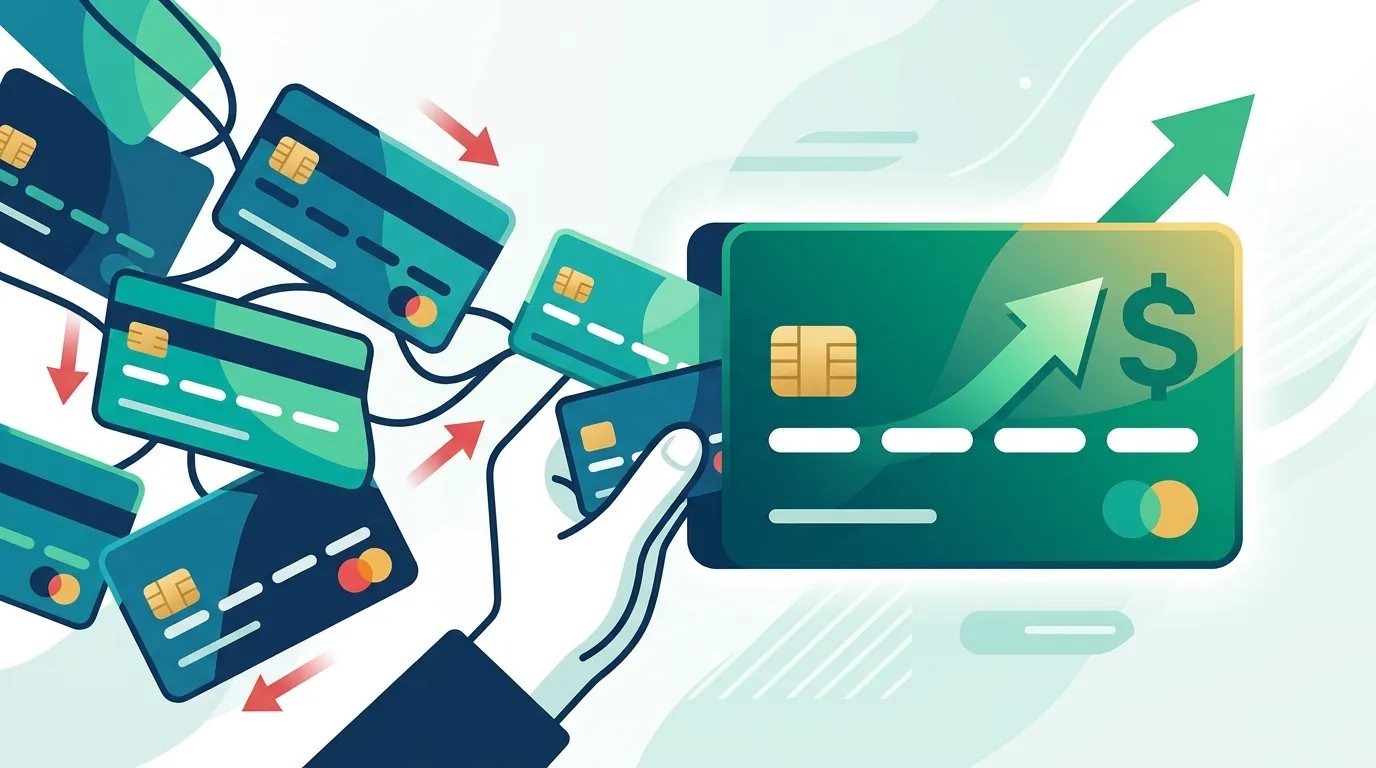
Managing corporate card spending becomes considerably more complicated as a company adds employees, departments, subsidiaries, vendors, and payment methods. A finance team may have to reconcile thousands of card transactions while ensuring that each expense is assigned to the correct general ledger account, department, project, entity, and tax category.
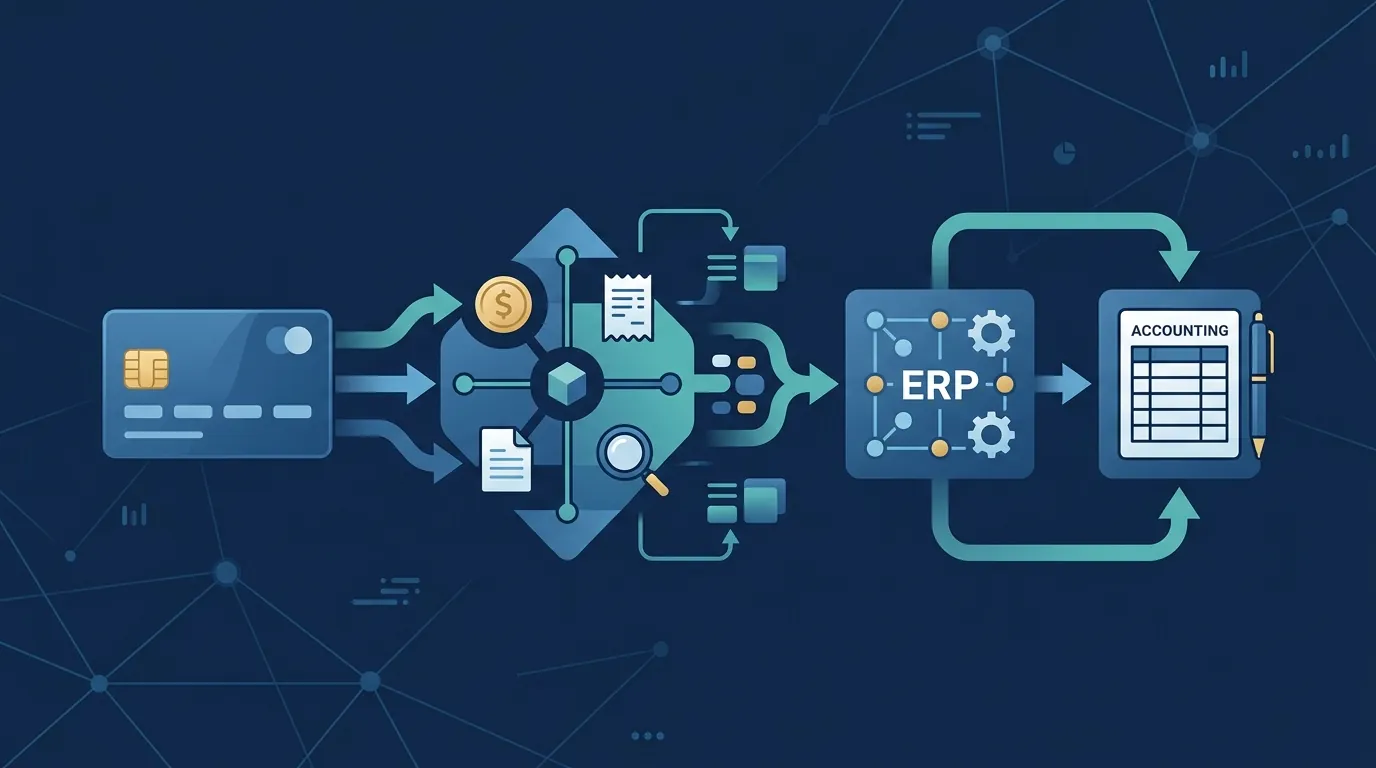
Business expense management platforms are increasingly designed to connect corporate cards directly with accounting software and enterprise resource planning (ERP) systems. Instead of treating the card program and accounting system as separate tools, these platforms can create a continuous flow of transaction data from employee spending to financial reporting.
Modern platforms such as Ramp, Brex, and SAP Concur offer integrations with accounting and ERP systems, although the available connections and workflows differ by provider and plan. Brex, for example, supports direct integrations with systems including NetSuite, QuickBooks Online, Sage Intacct, Xero, Microsoft Dynamics 365 Business Central, and others.
Why Corporate Cards Need an Accounting Connection
A corporate card records a payment, but the accounting system needs considerably more information.
A $2,000 software subscription, for example, may need to be recorded against a particular expense account, department, legal entity, project, vendor, and accounting period.
Without integration, employees or accounting staff may need to collect receipts, download transaction files, categorize expenses, and manually enter information into the company's accounting platform.
That process creates several potential problems:
- Duplicate data entry
- Incorrect general ledger coding
- Missing receipts
- Delayed reconciliation
- Inconsistent expense categories
- Difficult month-end reviews
- Limited visibility into employee spending
An integrated expense-management platform can place these steps into a connected workflow.
SAP Concur's corporate-card integration, for example, is designed to automatically capture and categorize card transactions and support reconciliation and approval workflows.
How the Integrated Workflow Works
A typical corporate-card integration follows a sequence similar to this:
Employee makes purchase → transaction enters expense platform → receipt and merchant information are captured → accounting fields are assigned → transaction is reviewed → data is synchronized with ERP → finance team reconciles the account
The exact process depends on the software.
Some systems automatically categorize transactions based on merchant information, historical activity, accounting rules, and employee selections. Ramp says its ERP integrations can automatically categorize transactions and synchronize coded transactions with connected accounting systems.
Brex similarly provides accounting fields, mapping rules, and automated categorization before transactions are exported to supported ERP systems.
The objective is not simply moving data from one application to another. The more significant benefit is standardizing how that data is classified before it reaches the general ledger.
General Ledger Mapping Is the Core of the Integration
One of the most important components is general ledger, or GL, mapping.
Suppose a company has separate accounts for:
- Software subscriptions
- Advertising
- Business travel
- Meals
- Office supplies
- Professional services
The expense platform needs to understand which card transactions belong to each account.
A company might establish a rule that transactions from a particular software vendor automatically map to a software-expense account. Other rules could use department, location, employee, project, merchant, or transaction type.
Brex allows businesses to create mappings between expense categories and GL accounts and supports fields such as department, class, vendor, and project.
This type of automation becomes increasingly valuable when transaction volume grows.
ERP Integration Goes Beyond Expense Reports
An accounting integration does not necessarily stop at employee expenses.
More sophisticated platforms can connect card transactions with additional financial workflows, including:
- Vendor bills
- Purchase orders
- Reimbursements
- Accounts payable
- Payments
- Budgets
- Multi-entity accounting
- Travel expenses
- Cash management
Ramp's NetSuite integration, for example, supports synchronization involving transactions, reimbursements, payments, purchase orders, vendor bills, bill payments, credits, and accounting fields.
Brex also supports bill synchronization with systems including NetSuite, QuickBooks Online, Sage Intacct, and Xero.
This broader integration can turn an expense platform into part of the company's financial operating system rather than simply a replacement for paper expense reports.
Choosing Between Accounting Software and an ERP
The appropriate integration depends partly on the company's accounting environment.
Smaller businesses may use platforms such as QuickBooks Online or Xero, where straightforward transaction synchronization can address much of the reconciliation workload.
Larger organizations may use systems such as NetSuite, Oracle Fusion, Microsoft Dynamics, Workday Financials, or Sage Intacct, where the integration may need to account for multiple entities, currencies, subsidiaries, dimensions, and more complicated accounting structures.
Ramp currently lists integrations spanning QuickBooks Online, Xero, NetSuite, Sage Intacct, Oracle Fusion Cloud, Workday Financials, Microsoft Dynamics, Acumatica, Zoho Books, and numerous other accounting systems.
Brex likewise supports a range of ERP connections and provides CSV-based options when a direct integration is unavailable.
The number of integrations matters, but compatibility with the company's existing accounting architecture matters more.
Direct Sync Versus File-Based Transfers
There are generally two approaches to connecting expense-management software with accounting systems.
A direct integration establishes a connection between the platforms so transaction information can be synchronized automatically.
A file-based integration exports information from the expense platform in a format that the accounting system can import.
Direct synchronization can reduce manual intervention, but it may require more initial configuration. File-based workflows can provide flexibility when a company's accounting system does not have a native connection.
Brex, for example, supports direct ERP integrations as well as custom accounting exports and CSV workflows for systems without direct support.
This makes integration architecture an important consideration before selecting an expense-management platform.
Multi-Entity Businesses Need Additional Controls
Corporate card management becomes more complex when a business operates multiple legal entities.
A single employee may make purchases for different subsidiaries, currencies, or business units. If those transactions reach the wrong accounting entity, reconciliation can become significantly more complicated.
Modern platforms increasingly provide entity-level mapping.
Brex supports multi-entity account management and can map entities to ERP structures, including NetSuite entities.
Ramp's NetSuite integration similarly supports multi-entity environments and allows transactions to be associated with the appropriate subsidiary.
Businesses operating internationally should therefore examine entity, currency, tax, and accounting-dimension support rather than evaluating integrations solely by whether a particular ERP logo appears on a provider's website.
Expense Controls Should Exist Before the Transaction
Accounting integration addresses what happens to spending data after a transaction occurs. Expense-management software can also control spending before the payment happens.
Companies may establish:
- Department budgets
- Merchant restrictions
- Transaction limits
- Approval requirements
- Virtual cards
- Temporary cards
- Project-specific spending
- Travel policies
This creates a connection between financial control and accounting.
For example, a marketing employee could receive a virtual card assigned to a specific advertising budget. Once the transaction occurs, the platform can associate the transaction with the relevant employee, merchant, category, and accounting fields.
The accounting team then receives structured information instead of reconstructing the transaction after the fact.
Security and Auditability Matter
Integrating corporate cards with accounting software also increases the importance of access controls and audit trails.
Finance teams should understand:
- Who can issue cards
- Who can modify spending limits
- Who can approve expenses
- Who can change accounting mappings
- Who can edit transaction information
- How receipts are stored
- How synchronization errors are identified
- How disconnected transactions are handled
API access can provide another layer of automation. Brex, for example, provides APIs for accounting, expenses, transactions, budgets, payments, teams, and other workflows.
However, greater automation should not mean eliminating financial oversight. Accounting teams still need controls for unusual transactions, incorrect classifications, duplicate payments, and exceptions.
What Finance Teams Should Evaluate
When comparing business expense-management platforms, the integration checklist should extend beyond the number of supported applications.
Consider whether the platform supports:
Your accounting system. Confirm that the exact ERP or accounting product and edition are supported.
Your accounting dimensions. Check whether departments, classes, projects, locations, entities, and other fields can be synchronized.
Automatic coding. Determine how transactions are categorized and whether rules can be customized.
Receipt management. Evaluate how receipts are captured, matched, stored, and retrieved.
Multi-entity accounting. This is particularly important for organizations with subsidiaries.
Bill and payment synchronization. If the company wants broader accounts-payable automation, card integration alone may not be sufficient.
Error handling. Understand what happens when a transaction fails to synchronize.
Data direction. Some integrations are primarily one-way, while others provide more extensive bidirectional synchronization.
Plan restrictions. Some integrations and advanced accounting features are available only on particular software plans.
These details can have a greater effect on implementation than the basic availability of an integration.
The Financial Impact of Automation
The economic value of integrated expense management is not limited to reducing data-entry time.
Better transaction data can help finance teams close accounting periods more efficiently, identify unusual spending, enforce budgets, improve reporting, and reduce reconciliation work.
The value is especially apparent when transaction volume increases. A process that works reasonably well with 20 corporate cards can become burdensome with several hundred employees and multiple entities.
That is why expense management, corporate cards, and accounting integration increasingly function as interconnected components rather than separate financial tools.
The most useful system is ultimately the one that fits the company's existing accounting structure and spending controls. A sophisticated platform with dozens of integrations may provide little practical benefit if its coding rules, approval workflows, or ERP connection do not match the organization's financial processes.
For finance leaders, the central question is therefore not simply whether a corporate card integrates with an ERP. It is whether the integration can move accurate, appropriately coded transaction data through the company's entire spending and accounting workflow with minimal manual intervention.